
In order to create your Payoneer account on our platform, please log into your misterb&b account and follow the steps below:
- Click on your avatar, located on the top right side of your screen and select "My account"
- Click on "Choose your payment method"
- Select "Bank transfer (powered by Payoneer)"
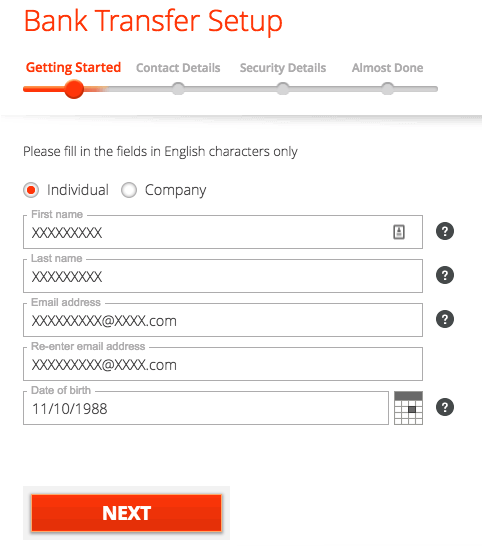
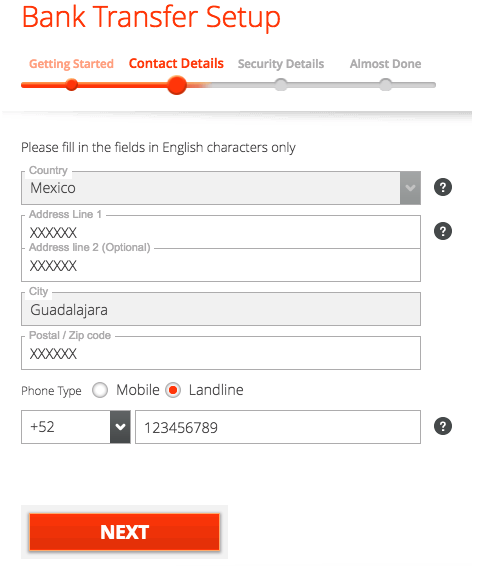
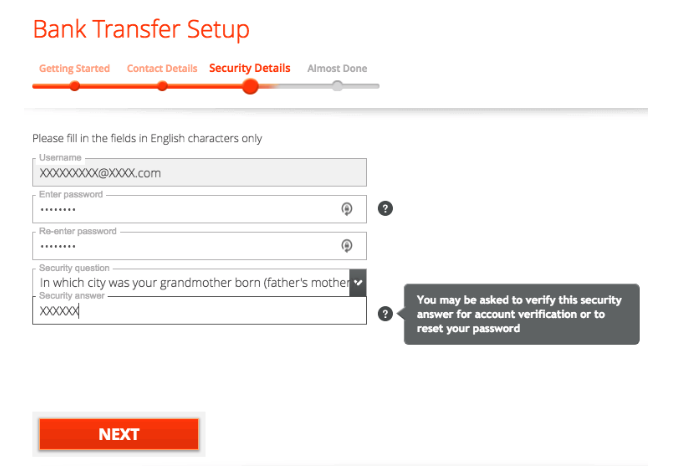
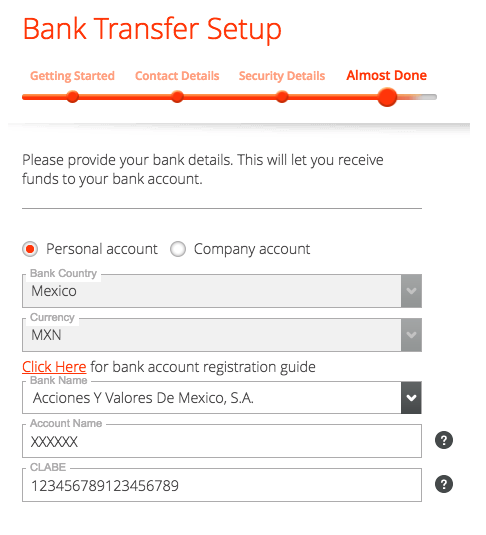
- Complete all the necessary sections to fill out (make sure the details are correct before clicking "Next")
Note:
Most of our users who use Payoneer as their payment processor are paid in their local currency. However, for a few countries we pay in EUR, so please be sure to register a bank account that accepts the currency established on your list of payment methods, for example AUD**. (see images below)

What happens after I register?
Once you have submitted your Payoneer application, you can view your account status at any time by logging into your Payoneer Account - My account.
New applications can take up to several business days to be reviewed. Once reviewed, you will receive an email confirmation with further details. In some situations, you may be asked to provide extra details such as a copy of your ID, Certificate of Incorporation, bank statement or other documents.